
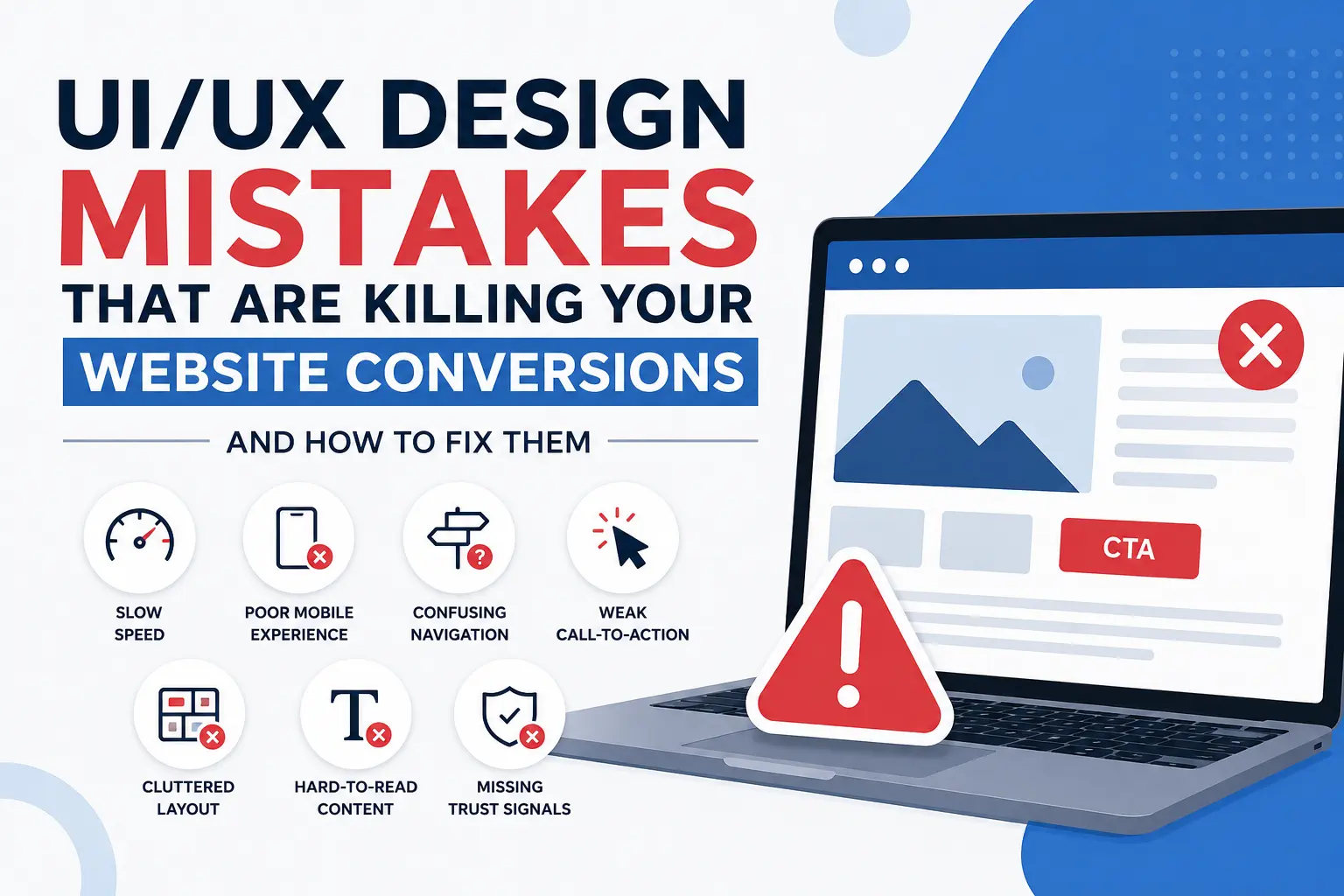
Have you ever visited a website and left within a few seconds because it felt confusing or slow? Most users do exactly the same thing. A business website that functions poorly will result in potential customers being lost even when your business provides exceptional services. Many businesses focus heavily on SEO, paid ads, and social media marketing but ignore one important factor: user experience. Visitors will never become customers if they find your website difficult to navigate. The need to avoid common UI/UX design mistakes exists because they reduce conversion rates and hinder online business growth.
At Techwiser Solutions Ltd, we help businesses create websites that are clean, user-friendly, mobile responsive, and designed to increase customer engagement.
UI/UX Design Mistakes Affecting Conversions
The following list presents the most frequent UI/UX design mistakes which may decrease your website conversion rates.
1. Slow Website Loading Speed
The speed of a website directly impacts how users experience the site. Users demand fast website loading times on all devices but especially on mobile devices. Your website will lose many users who want to see your services and content if it takes too much time to load.
The Google search rankings of websites that load slowly experience negative effects which results in decreased online visibility and website traffic. The typical causes of slow website performance include oversized images and unnecessary plugins together with inadequate hosting services and unoptimized website code. The process of improving loading speed establishes a better browsing experience and increases visitor duration on websites.
2. Poor Mobile Experience
Today, most people browse websites using smartphones. A website that looks perfect on desktop but performs poorly on mobile can lose a large number of potential customers.
Users often leave websites when:
- Text is difficult to read
- Buttons are too small
- Pages load slowly
- Content does not fit the screen properly
Responsive website design guarantees that your content functions correctly on all types of devices. Mobile-friendly websites also perform better in search engine rankings and improve customer satisfaction.
3. Confusing Navigation
Visitors should be able to find information quickly without frustration. Users experience confusion and higher bounce rates because of complicated menus which provide excessive navigation options.
The first sentence explains that users will have better website navigation because they can use simple navigation methods to reach different pages of your site. The site navigation system enables users to access different website sections through its main menu which displays clear labels for Home, About, Services, and Contact sections
Clean navigation also improves accessibility and makes your website feel more professional.
4. Weak Call-to-Action Buttons
The main reason websites fail to convert visitors into customers happens when their operators do not provide users with clear guidance on what to do next. The visitors will exit your website because they lack guidance on which actions to perform.
Buttons such as:
- Get a Free Quote
- Contact Our Team
- Book a Consultation
- Start Your Project Today
can encourage visitors to interact with your business.
The design of call-to-action buttons must provide users with direct visibility and simple accessibility while maintaining their placement throughout the page to create a comfortable user experience.
5. Cluttered Website Layouts
Some websites try to display too much information at once. The combination of excessive animations and popups and multiple colors and large text blocks creates an overwhelming experience for users on web pages.
Users nowadays prefer websites which present content in a clean and organized manner. The website uses basic design elements which create empty spaces to guide users toward its most vital information.
Using white space effectively also improves readability and gives your website a more professional appearance.
6. Hard-to-Read Content
The content fails to succeed because users face difficulties when trying to read it. The combination of long paragraphs and inadequate spacing together with decorative fonts and low text-to-background contrast results in decreased user engagement.
Content should maintain a natural flow which enables readers to scan through it. The combination of short paragraphs and appropriate headings together with conversational language results in better user engagement while building a better user experience.
Readable content is also important for SEO because it increases time spent on the website.
7. Missing Trust Signals
Customers will reach out to businesses which they consider trustworthy. Websites which lack reviews and testimonials and contact details will seem untrustworthy to visitors.
Adding trust-building elements such as:
- Customer testimonials
- SSL security
- Business contact details
- Portfolio examples
- Client reviews
can improve credibility and increase conversions.
Businesses searching for a professional UX design agency UK often focus on creating trustworthy and customer-friendly digital experiences.
Modern companies also combine strong UI/UX strategies with web application development UK services to improve website performance, functionality, and customer engagement.
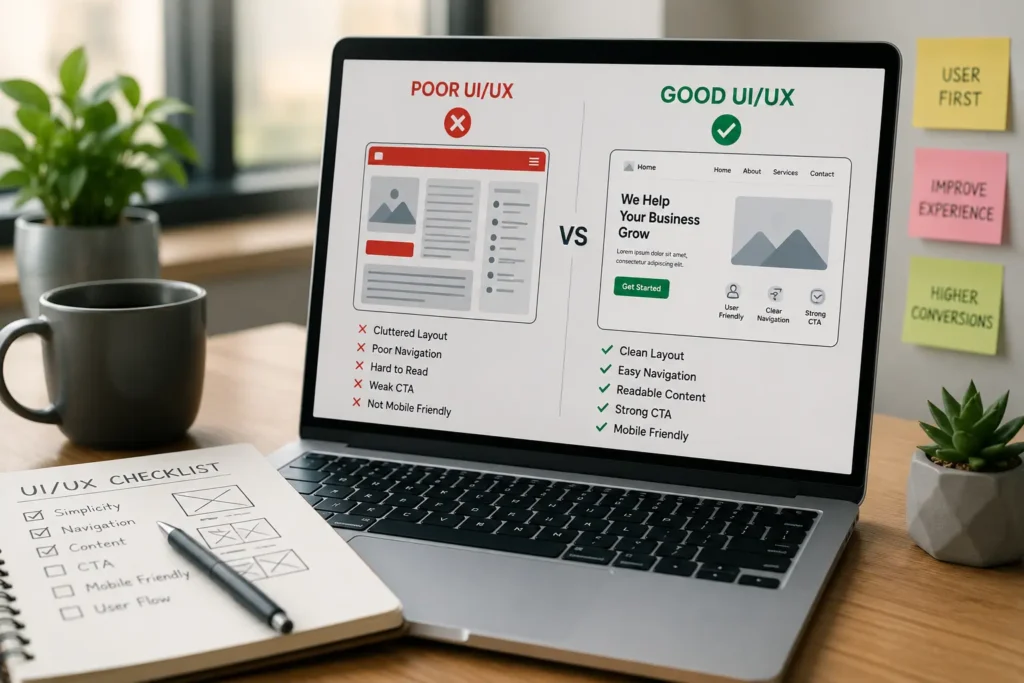
Why UI/UX Matters for SEO and Conversions
Google now places strong importance on user experience. Websites which provide simple navigation to visitors tend to achieve better search engine rankings because users remain on the site for extended periods while engaging with its content.
Good UI/UX design can help:
- Improve bounce rates
- Increase user engagement
- Generate more leads
- Improve mobile usability
- Build customer trust
A user-focused website not only improves rankings but also helps convert more visitors into paying customers.
A website needs to provide more than visually appealing design elements. The website needs to provide smooth navigation for visitors and fast loading times and simple access to user tasks. The smallest UI/UX design mistakes create hidden obstacles that prevent users from completing their tasks, which leads to decreased conversions and business growth.
At Techwiser Solutions Ltd, we help businesses improve their website performance through modern UI/UX design and SEO strategies and conversion-focused development solutions. The user experience needs improvement because your website currently fails to generate leads and engage customers effectively.
